Features
Everything Cyno does
From the first dial to the follow-up: dialing modes, voicemail drops, one inbox, clean lists and numbers that stay healthy.
Three ways to dial
- Dials
- 5
- Cost nothing
- 4
- Minutes billed
- 1
Voicemail drops
Leave a voicemail and move on while it plays
Drop a recorded voicemail with one key and move to the next lead while it plays.
- A library of recorded voicemails
- Dropped automatically when a machine picks up
- AI voicemails that say the lead's name
Master Inbox
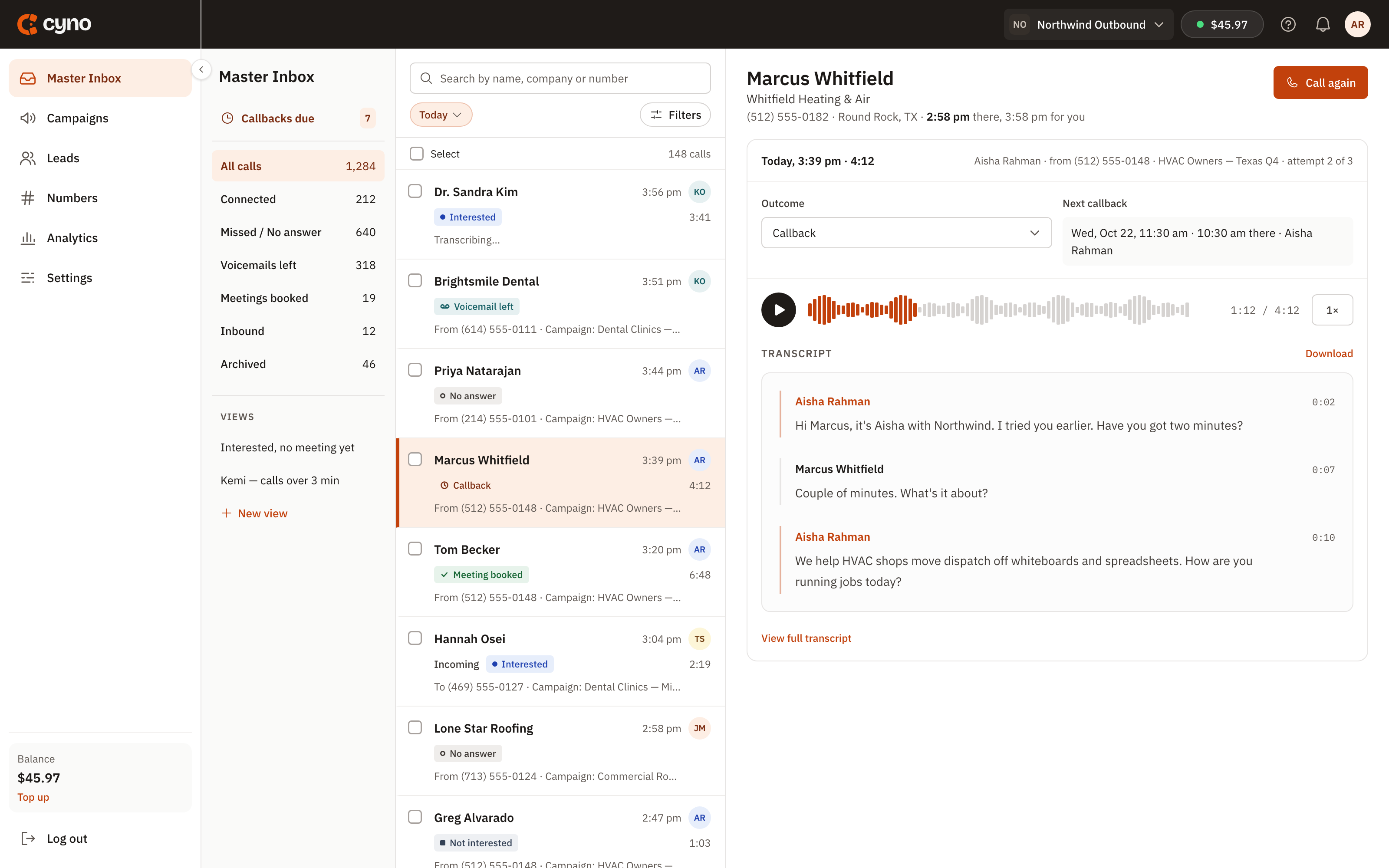
Every call ends up in one inbox
Calls, voicemails, notes and recordings in one inbox, with the lead’s full history beside them.
- Filter by campaign, rep or outcome
- Play the recording and read the transcript
- See callbacks due and call back from the same screen
Leads and DNC
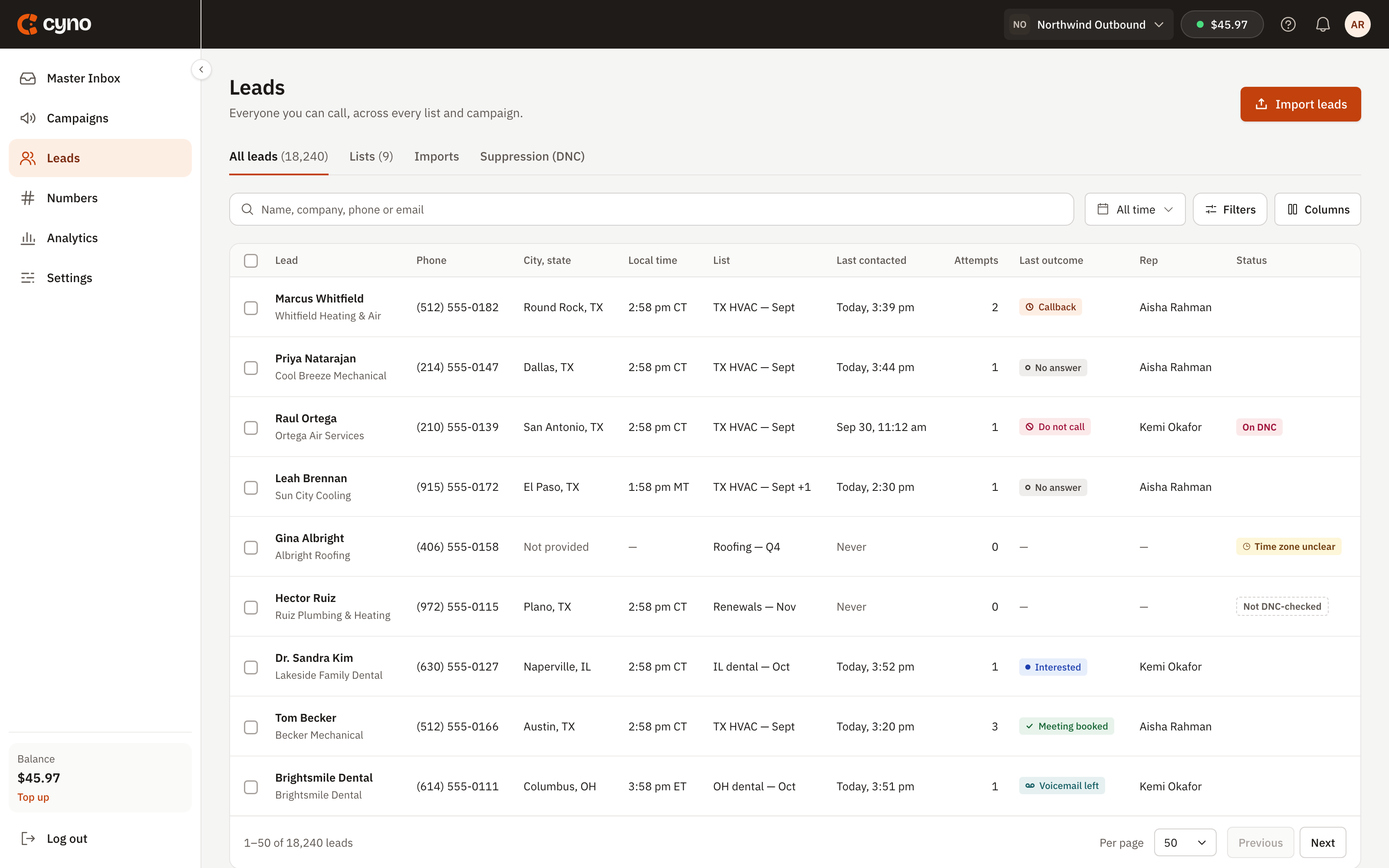
A clean list before the first dial
Upload a CSV, map the columns and remove duplicates. Every lead shows its local time.
- Lists to keep leads organised
- Your own do-not-call list, applied at dial time
- An optional paid DNC check
Campaigns
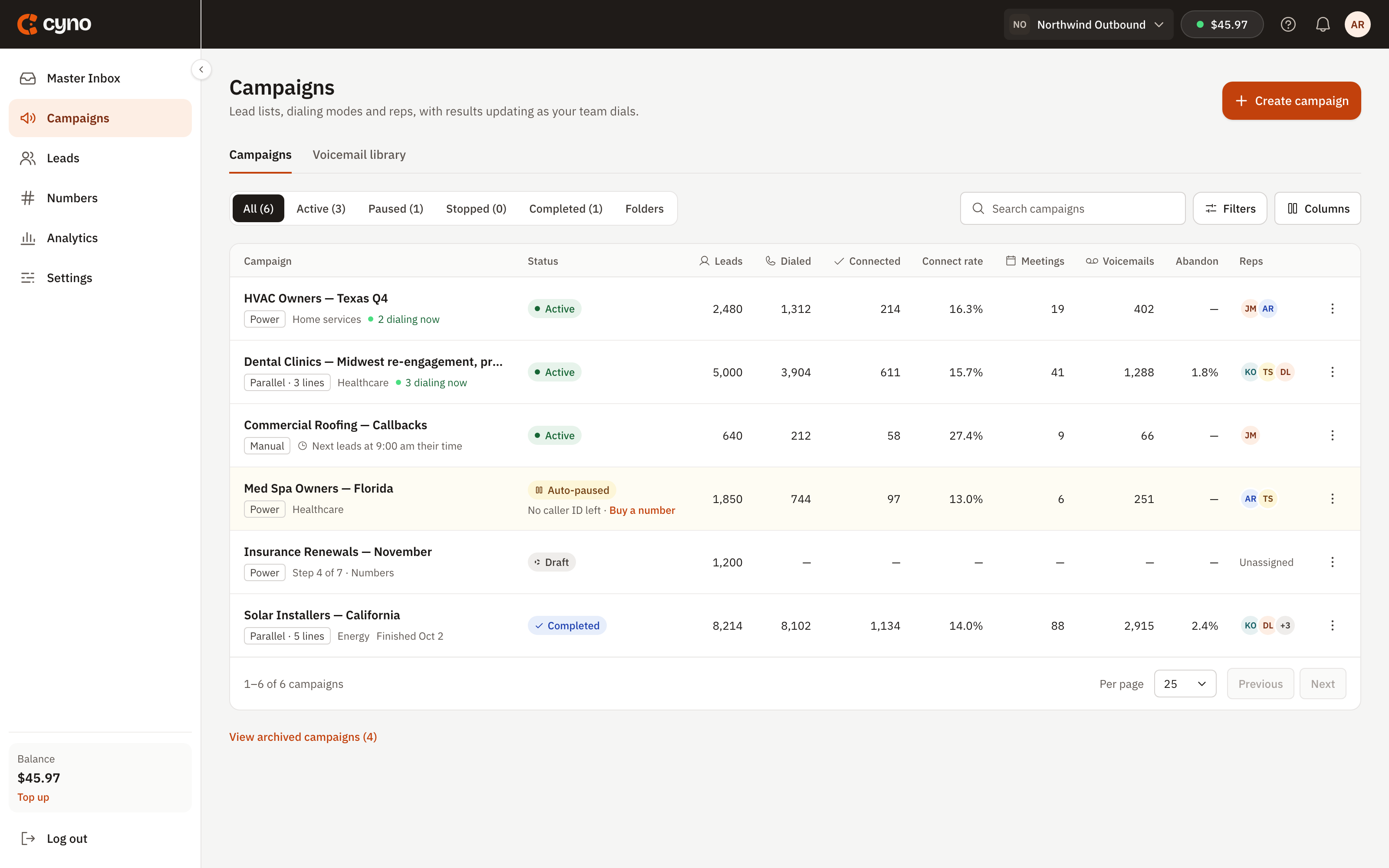
A campaign holds the list, the reps and the rules
A campaign ties a lead list to a dialing mode, the reps who work it and its calling rules.
- Calling hours and attempt limits per campaign
- Results update live as the team dials
- Mode, reps and rules set in one wizard
Numbers
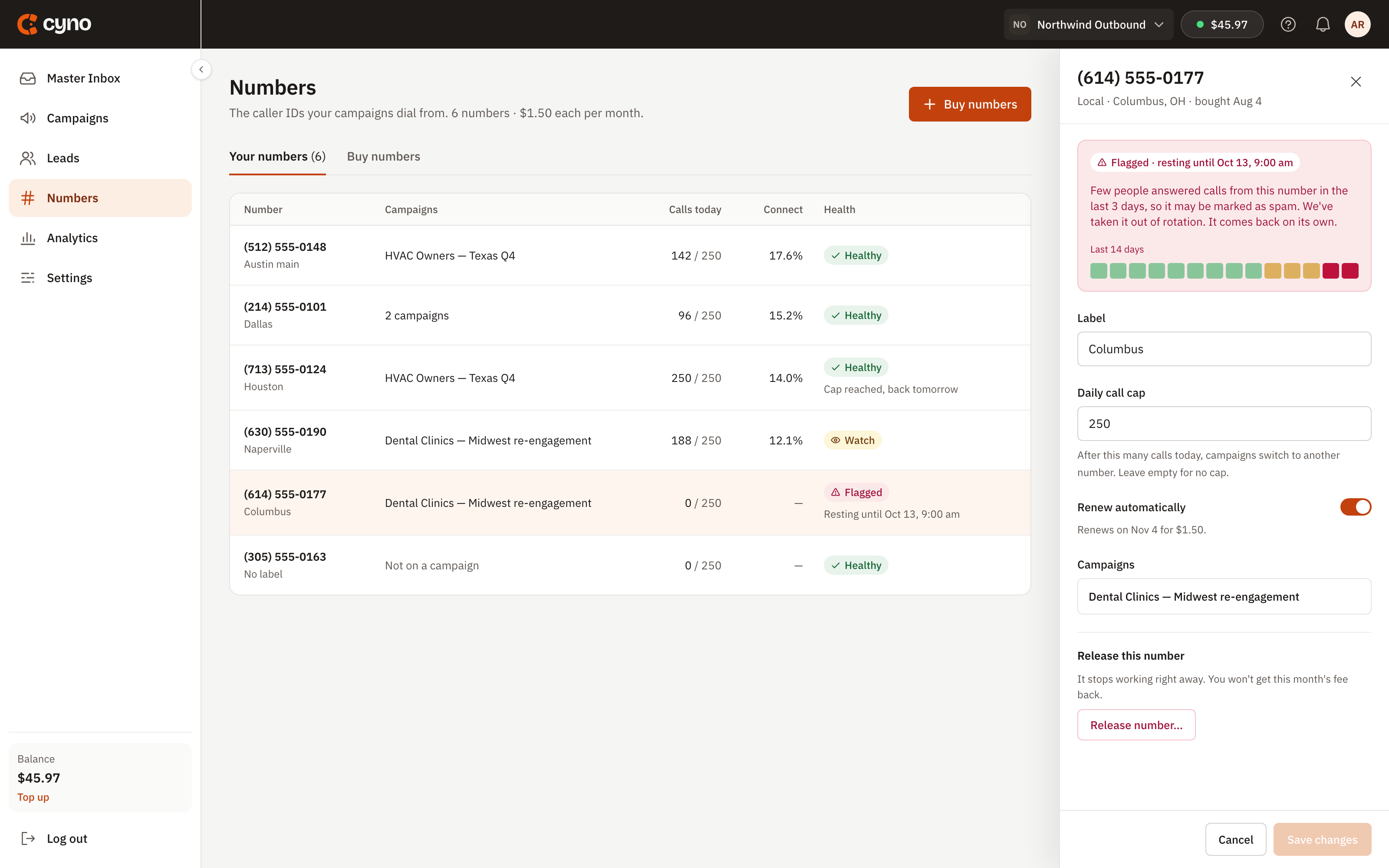
Numbers that rest when they start getting flagged
Buy numbers by area code inside the app. No carrier account, no keys to paste.
- Local presence: a local number for each lead
- Rotation and daily call caps per number
- A number whose connect rate drops is rested
- Inbound calls ring your reps or forward
Analytics
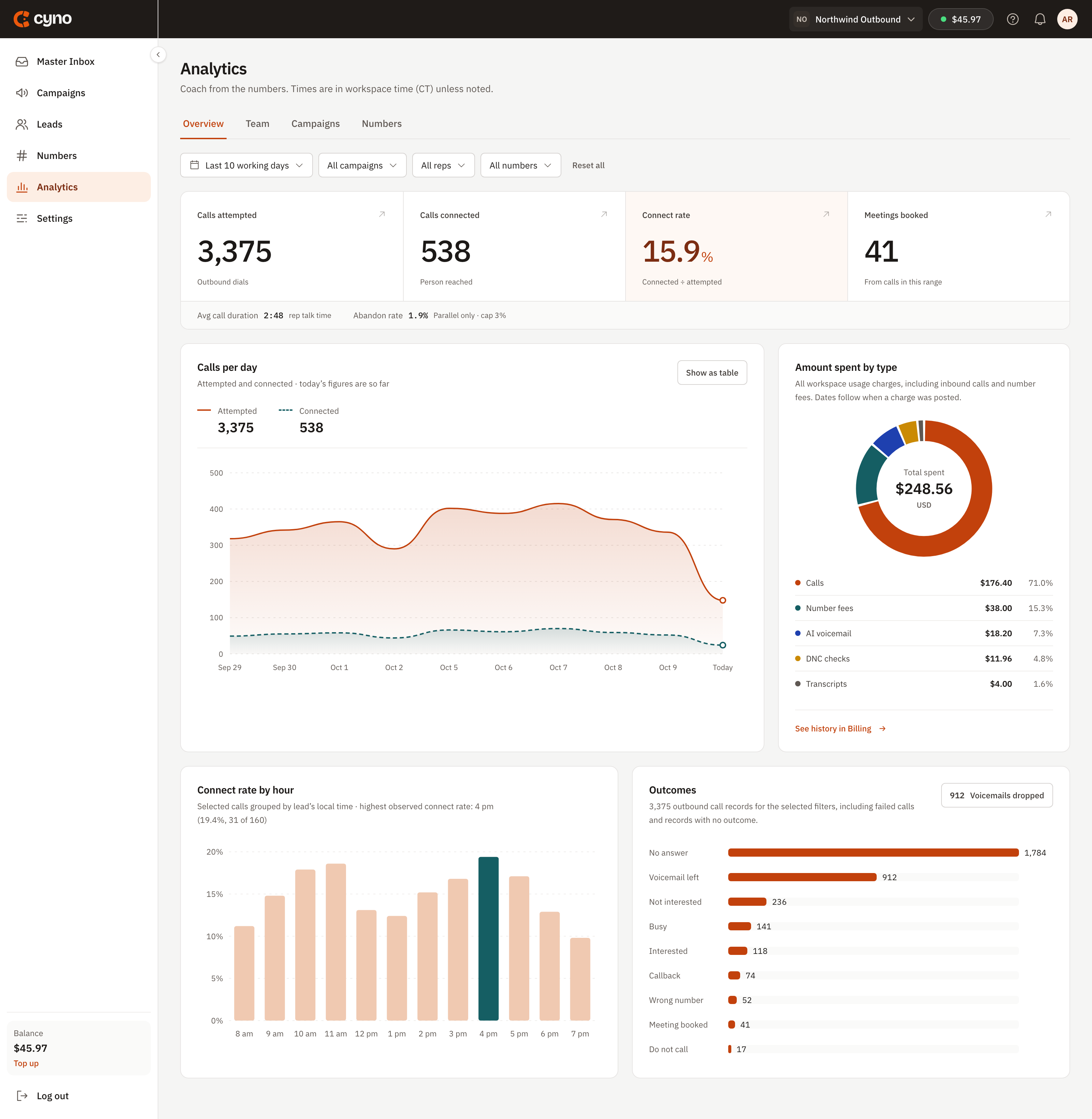
See which hours, reps and numbers connect
Calls per day, connect rate by hour, outcomes and spend by type.
- Compare reps, campaigns and numbers
- Spend broken down by what it paid for
- Abandon rate tracked for Parallel campaigns
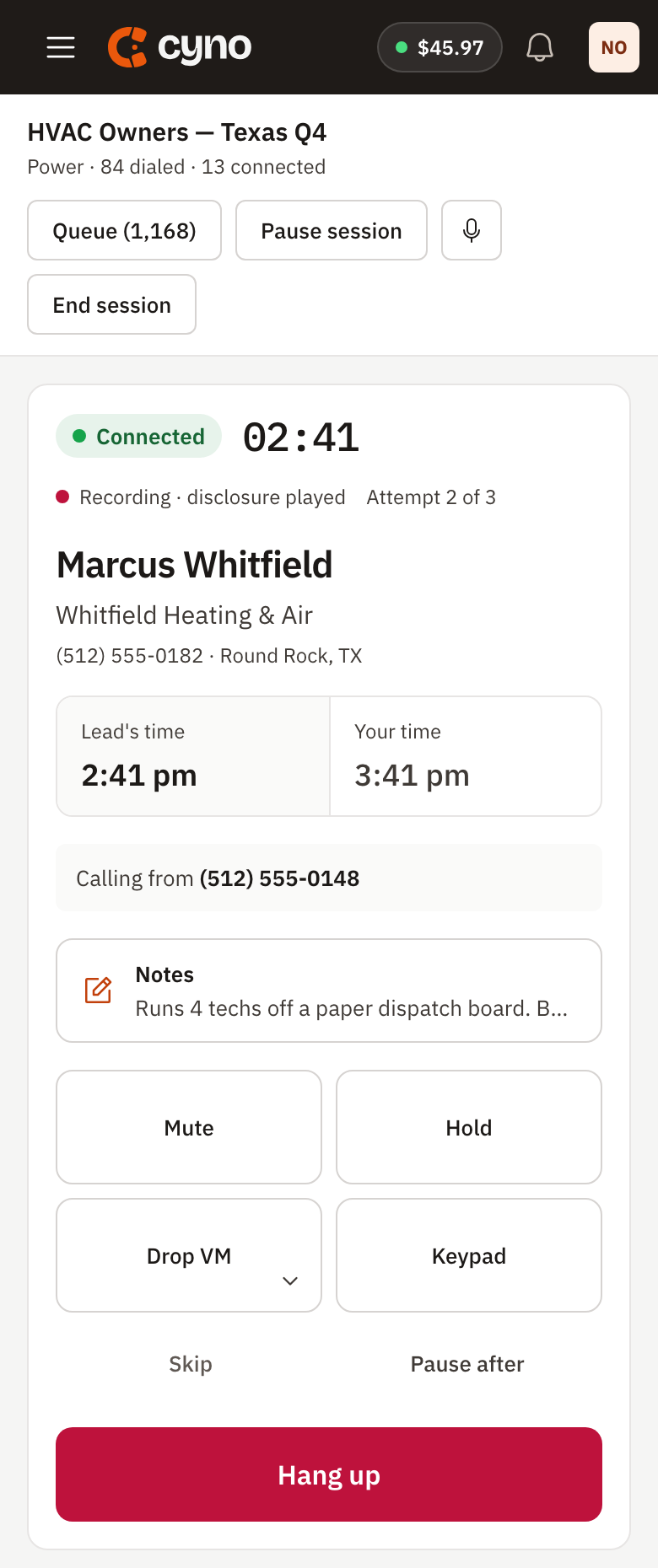
On your phone
The same dialer on your phone
The dialer and the Master Inbox work on a phone or a tablet, in the browser.
- Nothing to install
- The same calls, notes and outcomes
Callbacks
Callbacks set on the call and dialed when due
Set the callback while you are still on the call, in the lead’s own time zone.
- Added to your Google Calendar
- Dialed first when it is due
- Listed in the Master Inbox until it is done
Callback due
Marcus Whitfield
TUE 10:30 AM THEIR TIME · 11:30 AM YOURS
- 1Schedule it from the call
- 2Add it to Google Calendar
- 3It shows in the Master Inbox when it is due
Email follow-up
Interested leads go straight to your email campaign
When a call ends in an outcome you choose, the lead is added to your Smartlead or Instantly campaign.
- Connect your own Smartlead or Instantly account
- Pick the outcomes that trigger it, per campaign